Hotspot
A feature to share internet from the SIM in the car via WiFi signal to enhance convenience for using the internet on mobile devices.
❗️Recommendation❗️
Usage of the Hotspot feature has the following conditions:
- You must register through the Overdrive+ app.
- This feature must be purchased to activate.
- Usable for 3 vehicles per email.
Features & Settings
Getting Started with Hotspot
Enable hotspotButton to turn on/off internet sharingTurn off Hotspot when the car connects to Wi-FiSelect to turn off internet sharing when the car connects to WiFiTurn off Hotspot when the car is switched off (ACC OFF)Select to turn off internet sharing when the car is in ACC OFF status• Running - sharing SIM internetDisplay the internet sharing status
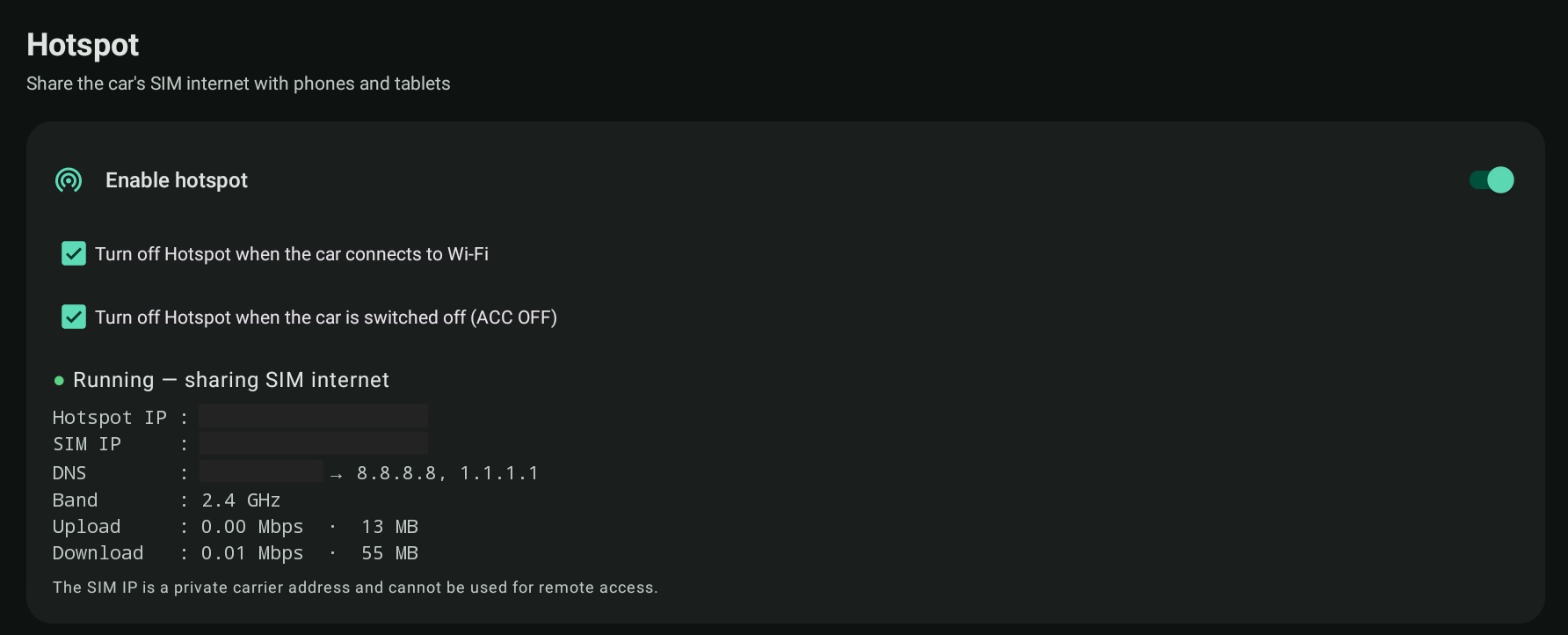
- The WiFi name will start with
DIRECT-OverdrivePlus- QR CodeScan to connect and use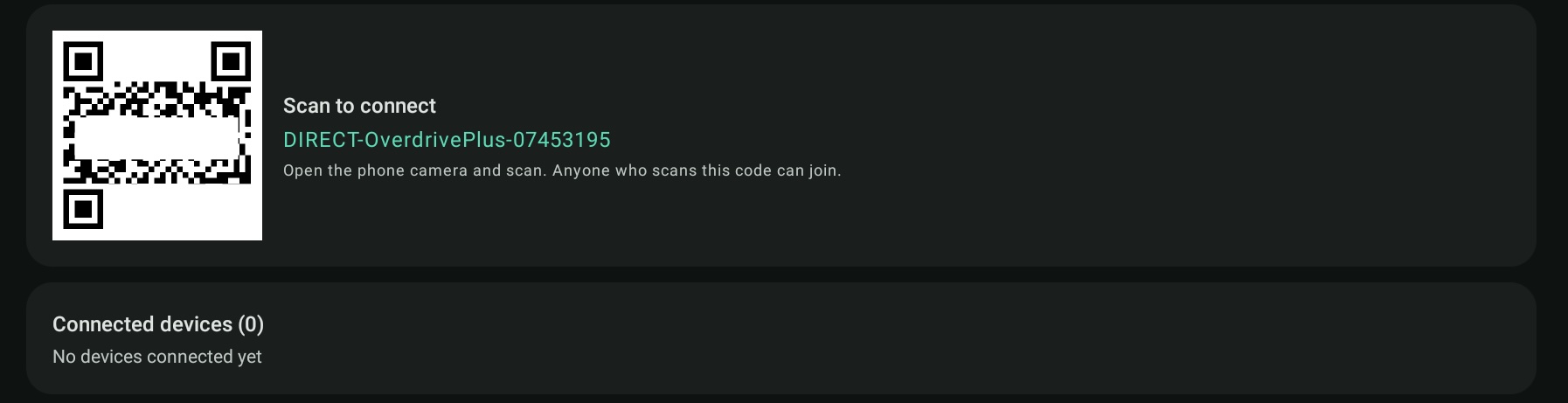
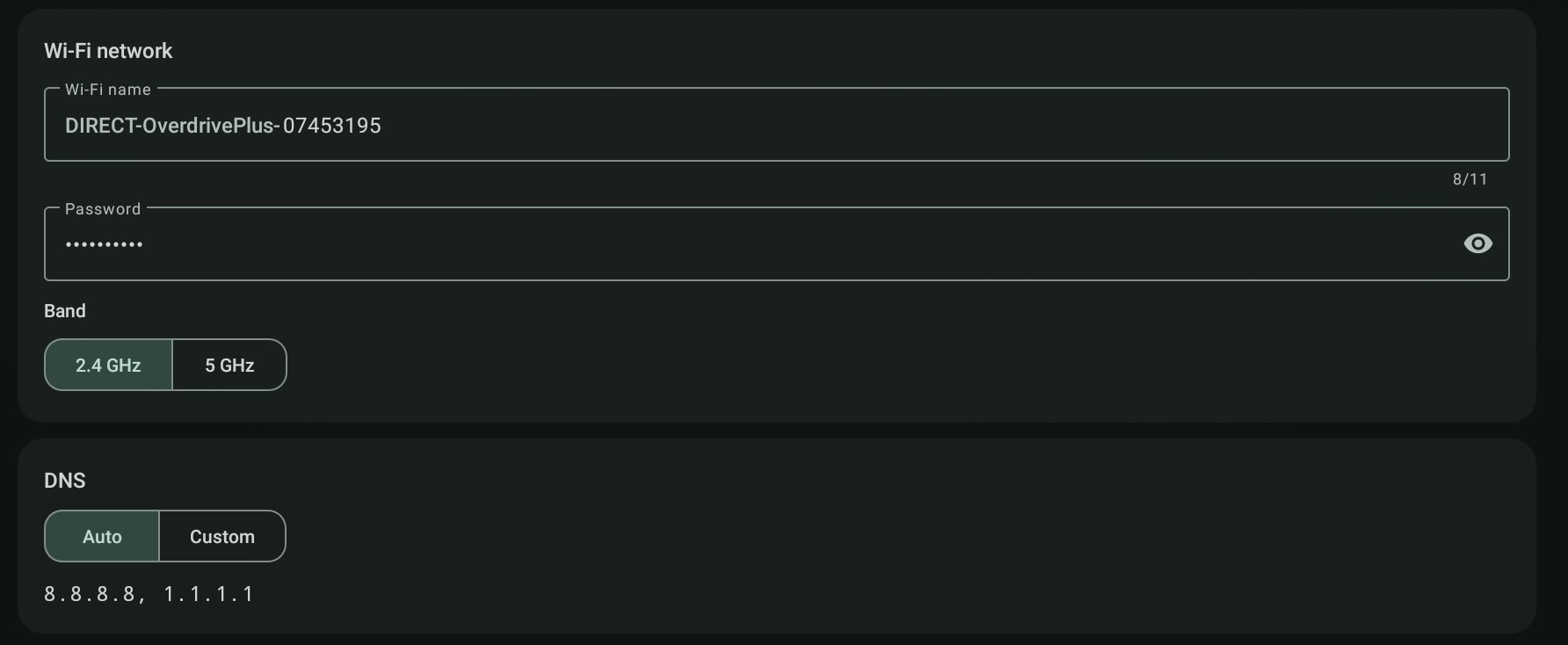
WiFi Settings
WiFi nameEdit the WiFi namePasswordThe password is randomly generated the first time. You can change the password.BandSelect the desired WiFi signal frequency bandDNSEdit the DNS number as desired
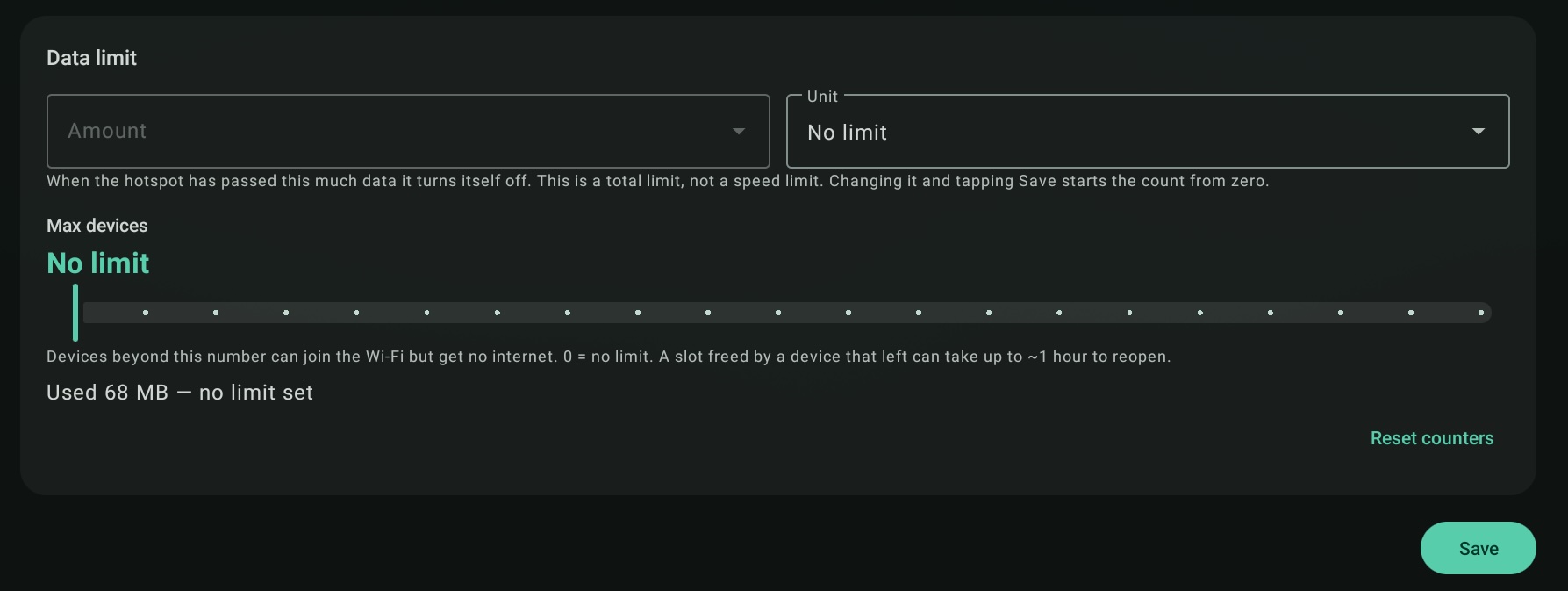
Usage Limit Settings
Data limitSet a limit on the amount of data usageMax devicesSet a limit on the number of devices that can be used
💰 Support ✨